Blend Photo Editor & Effect
ZipoAppsArt & Design
4.7777.00 Reviews
- Version
- 4.5.9
- Installs
- 10.00M
- Age Rating
- Everyone
Screenshots
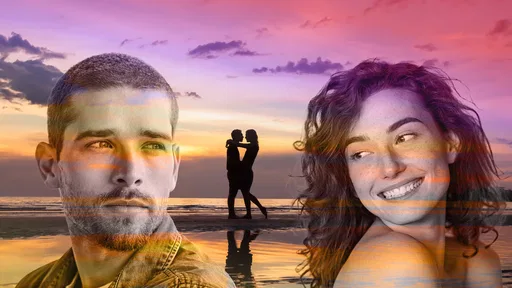
Our Review of Blend Photo Editor & Effect
 Analysis by Appyee
When I decide whether to edit a personal photo on my phone, I think about more than the final effect: I also want to understand what choices the app puts in my hands. Blend Photo Editor & Effect is a free art-and-design app from ZipoApps, built around combining images and giving them a more expressive finish. Its appeal is easy to see, but I’d treat it as a creative editor for deliberate experiments rather than assume it is a complete replacement for every photo tool.
Trust starts with what you can see
The app is rated for Everyone, and its current version is 4.5.9. It has a 4.7 average from around 34,000 ratings, with over five million installs. Those figures suggest that many people have tried it, but popularity alone does not tell me how an app handles photos or personal information. I prefer to judge trust by the choices I can actually see while using an app, and I would avoid treating an editing effect as proof of any particular privacy practice.
That distinction matters here because the photos people choose to blend can be personal: a portrait, a family snapshot, or an image taken at home. Before selecting anything sensitive, I recommend paying attention to the prompts the app displays and granting only the access needed for the task at hand. If a permission request appears, read it before agreeing; don’t assume every request is essential simply because you want to try a filter.
Make deliberate choices with personal images
A useful habit is to start with a copy of a photo rather than the only version you have. That gives you room to experiment with a composite without risking the original image. It also makes it easier to compare the edited result with the source and decide whether the blend genuinely improves the picture or merely adds visual noise.
I’d be especially careful with images of other people. An eye-catching double exposure can be fun to share, but a finished image may reveal more than intended through its subject or background. Review the export before posting, and use the sharing destination you actually want rather than treating direct sharing as the default. These are practical safeguards, not claims about the app’s internal data handling.
Who gets the most from blending
The strongest reason to try this editor is its focus on combining images. If you enjoy turning a straightforward portrait into something more atmospheric, or want to make a layered graphic for a personal post, its creative direction is more relevant than a basic crop-and-brightness tool. The app is free to download, though it offers in-app purchases ranging from $0.99 to $99.99 per item, so I’d check the cost shown for any paid option before committing.
It may be less suitable if your main goal is precise professional retouching, reliable batch adjustments, or a carefully controlled workflow for a large set of photos. A dedicated editor built around those needs is likely a better fit. Blend’s premise is visual experimentation; the more your work depends on exact, repeatable corrections, the more you may miss tools designed specifically for that purpose.
A practical way to test the result
For a low-pressure first project, choose two images with clear subjects and different visual roles: for example, a portrait as the focal point and a textured scene as the secondary layer. Try the blend, then step back and check whether both subjects remain legible. If the result feels crowded, changing the source images may work better than adding another effect. This small test helps you learn whether the app’s style suits you without using an image you would regret altering.
I’d also keep an unedited copy and review the final image at the size where you plan to use it. A composition that looks striking on a phone screen may feel too busy as a profile picture or become hard to read in a small thumbnail. When the aim is a clean cutout or a simple correction, a conventional photo editor can be quicker; when the aim is an intentional composite, this app’s emphasis makes more sense.
Ever wanted to give your photos a magical touch with just a few taps? That's where Blend Photo Editor & Effect comes into play. I recently dove into this app, and let me tell you, it's like having a mini Photoshop right in your pocket! Whether you're a seasoned photography enthusiast or just someone who loves to jazz up their selfies, this app has got something for everyone.
Getting Started with the App
Diving into Blend Photo Editor & Effect was a breeze. The download and installation were quick, and the app interface is clean and intuitive. Right off the bat, you're greeted with a user-friendly dashboard that makes it easy to navigate through its myriad of features. It doesn’t matter if you’re tech-savvy or not; you’ll feel right at home.
Features Galore
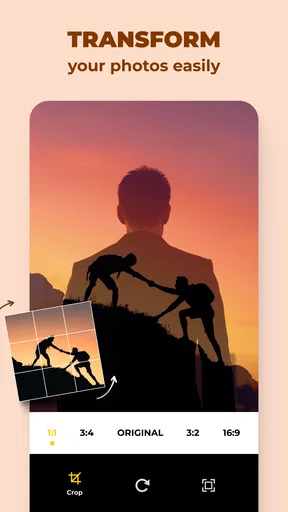
One thing that sets this app apart is its vast array of features. From double exposure to artistic filters, it feels like there’s no limit to what you can create. Here’s a quick rundown of some of the standout features:
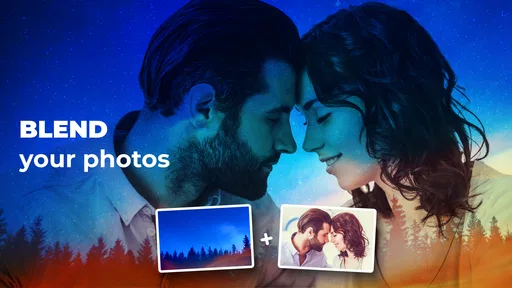
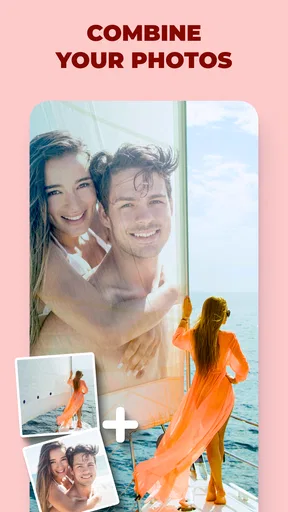
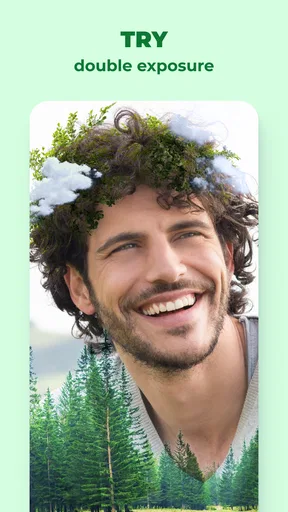
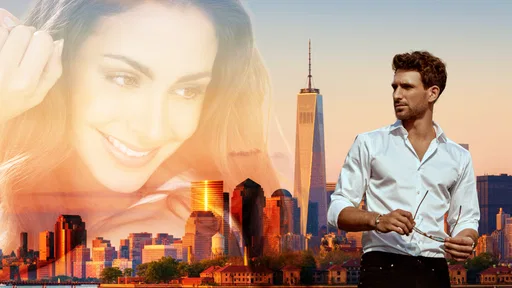
- Double Exposure: This feature lets you blend two photos into one, creating mesmerizing overlays. It’s perfect for anyone looking to get a little artsy with their edits.
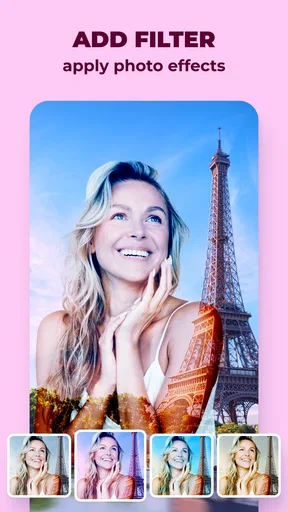
- Artistic Filters: With a wide range of filters, you can transform your ordinary photos into extraordinary pieces of art. Whether you’re going for a vintage vibe or something more modern, there’s a filter for every mood.
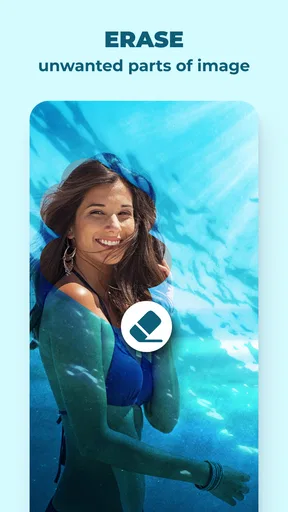
- Background Eraser: Easily remove backgrounds from your photos with precision. This is a game-changer for those who want to create clean, professional-looking images.
Each feature comes with a simple tutorial, so even if you’re new to photo editing, you’ll quickly get the hang of it.
User Experience
What I love most about this app is its seamless user experience. Switching between features is smooth, and there’s no lag, which is crucial when you’re in the creative zone. The app also doesn’t bombard you with ads, which is a huge plus. You can focus on editing without constant interruptions.
Moreover, the app is incredibly responsive. Whether you’re using a high-end device or something more budget-friendly, the performance is consistent. That’s a rare find in the world of mobile apps.
Sharing and Saving Your Creations
After you’ve crafted your masterpiece, sharing it is a walk in the park. The app offers direct sharing options to all major social media platforms. Want to save it for later? You can easily download your edited photos in high resolution. This is perfect for anyone who wants to print their photos or store them in a digital album.
Final Thoughts
In a nutshell, Blend Photo Editor & Effect is a must-have for anyone passionate about photography and creative expression. It combines ease of use with powerful editing tools, making it a versatile app for all levels of expertise. Whether you’re looking to enhance your social media presence or simply explore your creative side, this app is a fantastic choice.
So, if you’re ready to take your photo editing game to the next level, give Blend Photo Editor & Effect a try. Who knows? You might just discover a new passion for creating stunning visual art!
Where I’d draw the line
The app’s biggest strength is also a useful guide to deciding whether it belongs on your phone: it is aimed at creative blends, not every kind of image work. I’d recommend it to someone who wants to make a few expressive images, learn through trying effects, or give an ordinary portrait a more imaginative treatment. I would not choose it as my only editor if I needed dependable, fine-grained adjustments for client work or a consistent look across a whole collection.
For an everyday example, imagine making a birthday post from a portrait and a favorite travel photo. I’d duplicate the portrait, choose a complementary scene, and test a restrained blend before trying more dramatic filters. Then I’d check that the person’s face remains clear and that the background does not compete with the message. That workflow is more useful than applying effects at random, and it makes the app’s central idea work for a real occasion.
One trade-off is that artistic options can make it easy to keep adding treatments after the image already works. I find it helpful to save a simple version, then compare any more stylized attempt against it. If the effect obscures the subject or makes the picture less readable, the plainer result may be stronger. That kind of comparison is especially valuable when the image is meant to communicate something, rather than simply show off an effect.
Choosing it alongside other editors
Compared with the usual all-purpose mobile photo editor, Blend Photo Editor & Effect is a more natural pick when the starting point is “what happens if I combine these pictures?” A standard editor is often the quicker choice for straightening, cropping, or making a modest tonal correction. A desktop graphics program offers more room for intricate compositing, but can be excessive when all you want is a playful image made on a phone. I see this app between those options: approachable for creative trials, but not a substitute for a precise production workflow.
If you are unsure whether it will suit you, start with a non-sensitive image and one small project. That gives you a chance to explore the editing approach and see how the controls feel before using personal photos or considering an in-app purchase. The minimum operating system requirement is Android 5.0, and the app was released on September 1, 2019; on a compatible device, I’d still make the decision based on whether its blend-focused tools match what you actually want to create.
A measured recommendation
My cautious verdict is that this is worth trying if you enjoy building images from layers and filters, especially when you want a result that looks more crafted than a quick standard edit. Its accessible presentation and creative focus make it approachable, while its paid in-app options are a reason to check costs before choosing anything beyond the free experience. I would keep permission decisions thoughtful, retain originals, and review an image before sharing it.
That leaves a straightforward choice: reach for Blend when the idea is to make a composite or an artistic variation, and use a more conventional editor when accuracy, repeatability, or detailed correction matters more. For someone who likes experimenting with portraits and layered scenes, I think it can be an enjoyable addition. For someone seeking a tightly controlled professional workflow, I’d look elsewhere and use this only for the occasional creative detour.
Verdict
Strengths of Blend Photo Editor & Effect
- Intuitive interface for easy editing.
- Wide range of blending effects.
- Supports high-resolution exports.
- Regular updates with new features.
- Includes tutorials for beginners.
Limitations of Blend Photo Editor & Effect
- Occasional ads can disrupt workflow.
- Some features require in-app purchases.
- Not all effects are customizable.
- May lag on older devices.
- Limited social media sharing options.
Other Releases by ZipoApps
View All
Screen Mirroring - Cast to TV
Video Players & Editors4.3

Cut and Paste Photos
Photography4.6

Edge Lighting - Borderlight
Personalization4.8

Widgets OS 18 - Color Widgets
Personalization4.7
Similar Picks in This Category
View All
Canva: AI Photo & Video Editor
Canva4.8

PENUP – Drawing-sharing SNS
Samsung Electronics Co., Ltd.4.5

Crafto
Kutumb App4.6

Sketchbook
Sketchbook4.1

ibis Paint X
ibis inc.4.5

Adobe Express: AI Photo, Video
Adobe4.6
Frequently Asked Questions
What features does Blend Photo Editor & Effect offer?
Blend Photo Editor & Effect provides a variety of features including multiple blend modes, overlays, and editing tools to enhance your photos. The app allows you to merge images seamlessly, apply artistic effects, and adjust brightness, contrast, and saturation. It also offers filters and customizable templates for creating unique designs.
Is Blend Photo Editor & Effect user-friendly for beginners?
Yes, Blend Photo Editor & Effect is designed with a user-friendly interface that accommodates both beginners and experienced users. The app provides intuitive controls, tutorials, and tips to guide new users through the editing process, making it easy to create professional-quality images without prior experience.
Does Blend Photo Editor & Effect require an internet connection?
Blend Photo Editor & Effect can be used offline for most of its editing features. However, an internet connection is necessary for downloading new effects, updates, or accessing cloud storage options. Users can edit photos without connectivity but will need to connect for certain features.
Are there any in-app purchases or subscriptions in Blend Photo Editor & Effect?
Yes, while Blend Photo Editor & Effect offers a range of free features, there are in-app purchases available for premium content such as additional effects, templates, and advanced editing tools. Users can opt for a subscription to unlock all features and remove ads for a seamless experience.
How does Blend Photo Editor & Effect handle user privacy and data security?
Blend Photo Editor & Effect prioritizes user privacy by ensuring data is encrypted and securely stored. The app requests minimal permissions and adheres to privacy standards, including GDPR compliance. Users can review the privacy policy for detailed information on how their data is managed and protected.
